
JC COLOUR GRADE
An integrated grading environment for DaVinci Resolve, built for DaVinci Wide Gamut.
Exposure, balance, contrast, log wheels, hue, density, saturation, and image analysis. One node, one colour model, every control speaking the same language.
EXPOSURE
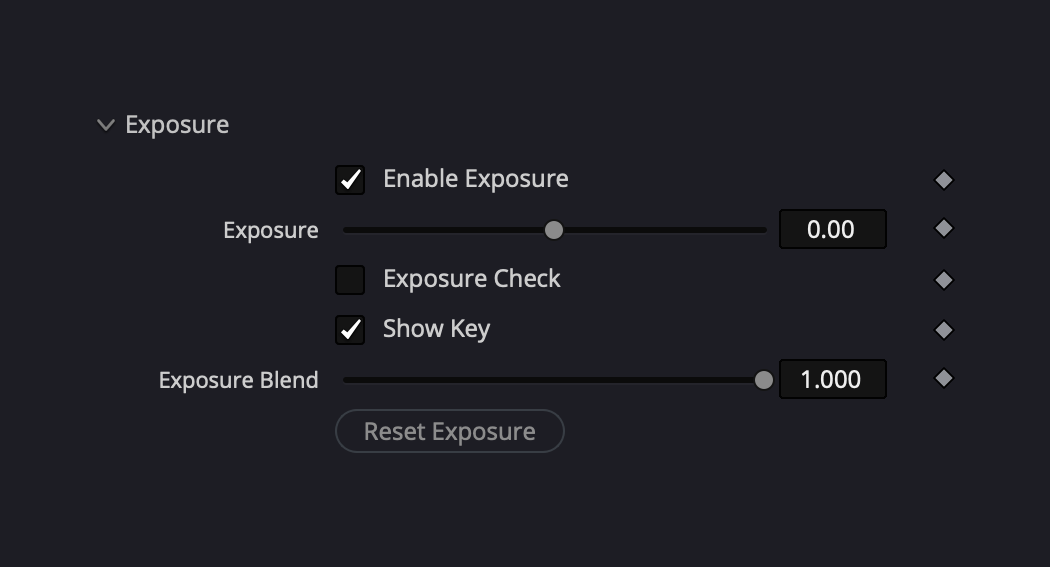
True photographic exposure in stops, plus a false-colour check you can trust.
Stops, not sliders. 1 unit = 1 stop, applied as real gain in linear light. It behaves like opening the lens.
Exposure Check. A false-colour map based on actual scene luminance, with a stop-band legend.


BALANCE
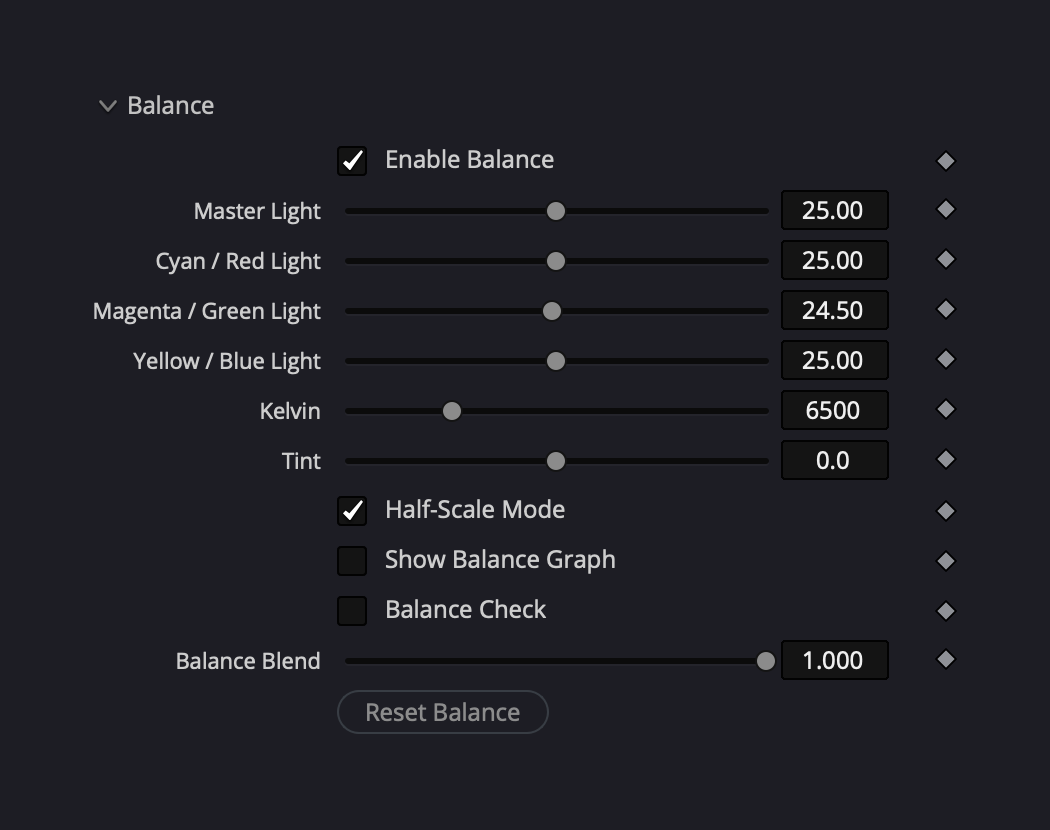
Film-lab printer lights and accurate white balance in one place, with a picker that helps find neutral for you.
Printer-light controls. Master, Cyan/Red, Magenta/Green and Yellow/Blue lights in classic printer points (25 = neutral, 12 points = 1 stop). Half-Scale Mode gives finer steps.
Real white balance. Kelvin and Tint use proper chromatic adaptation along the daylight curve, not a crude RGB tilt.
Automatic or manual neutral. Let it find a likely neutral, or drag the crosshair onto a grey in the viewer, confirm, and it remembers that reference frame.
Balance Check. Shows exactly how far off neutral you are, aiming every value at 0.
Balance Graph. An RGB balance wheel and temperature/tint lines drawn over the image, with markers for your current settings.
CONTRAST
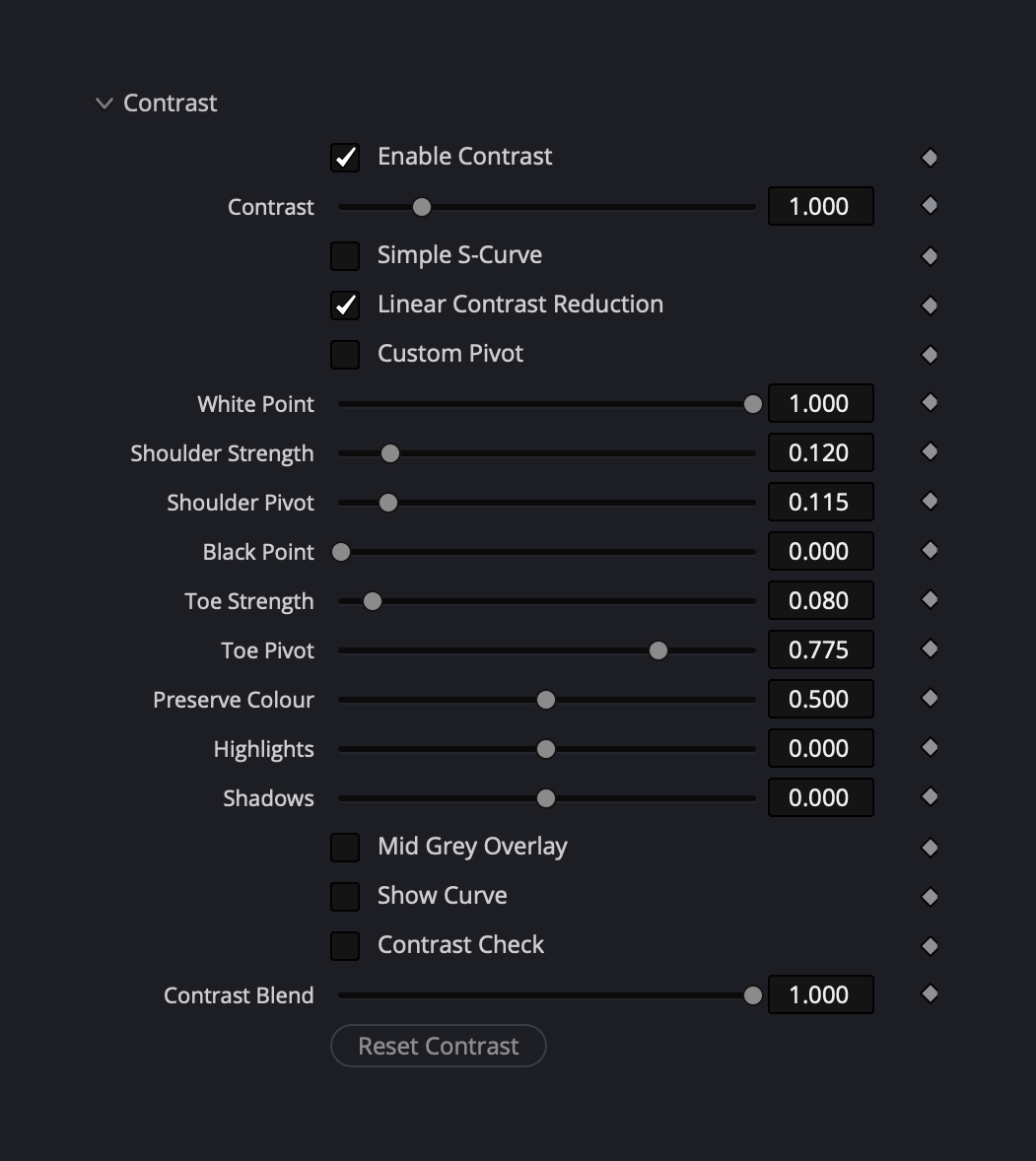
Filmic contrast that holds your highlights and shadows together, with a smooth curve you can see.
Real toe and shoulder, not a simple S. A pivoted contrast curve with built-in highlight and shadow roll-off. Push contrast hard and the highlights still bend instead of clipping.
Shape every part of the curve. Separate White Point, Black Point, Shoulder and Toe Strength, and where each one takes over from the midtones.
Anchored on true mid grey. The pivot sits exactly on DWG 18% grey by default, so exposure stays put while contrast changes. Set a custom pivot whenever you need one.
Preserve Colour, your way. Blend smoothly between classic per-channel RGB contrast (saturation grows with contrast) and colour-preserving contrast (hue and saturation stay put).
Lower contrast gracefully. Shaped, linear and inverse-S reduction modes for soft, low-contrast looks without muddy blacks.
Judge tone without colour. Contrast Check shows the result in monochrome, and Mid Grey Overlay highlights everything sitting at your pivot.
LOG WHEELS
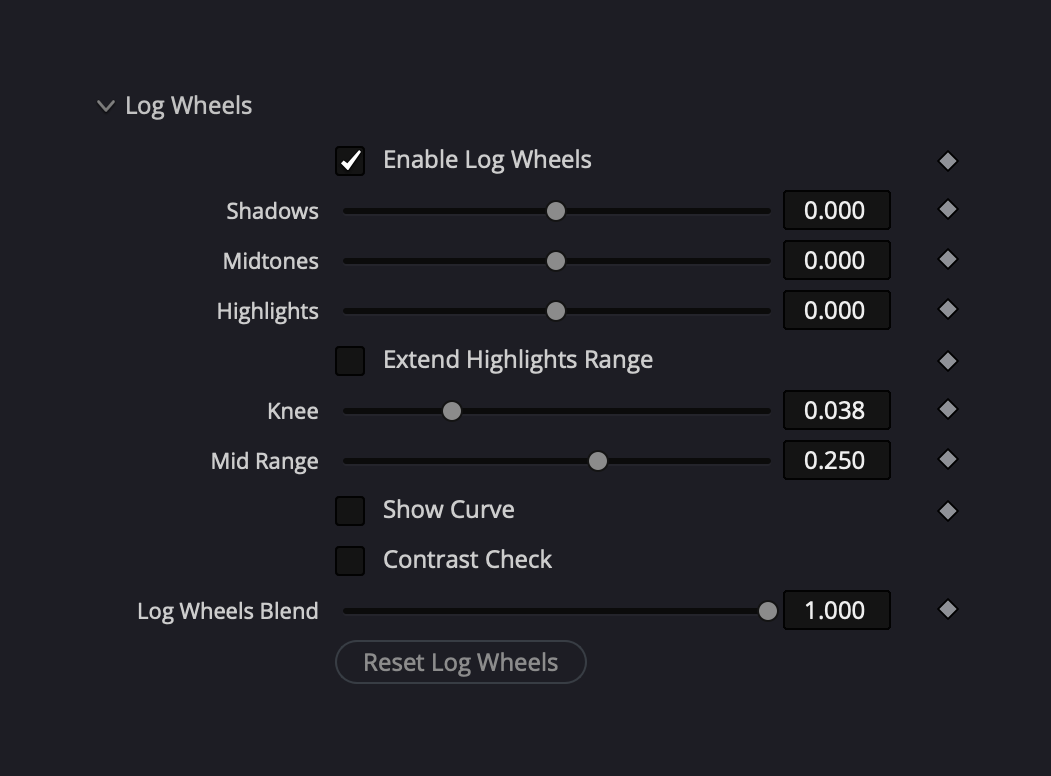
The Log controls colourists already know, tuned for DWG and drawn as a curve.
Shadows, Midtones and Highlights masters that behave like Resolve's Log wheels; the band edges were measured from Resolve itself.
Extend Highlights Range. Moves the highlight hinge down to mid grey for broader highlight shaping.
Knee and Mid Range. Soften the hinges or widen the midtone band beyond Resolve's own.
Show Curve. The combined transfer curve is drawn over the image, and works with the shared Contrast Check.
DENSITY
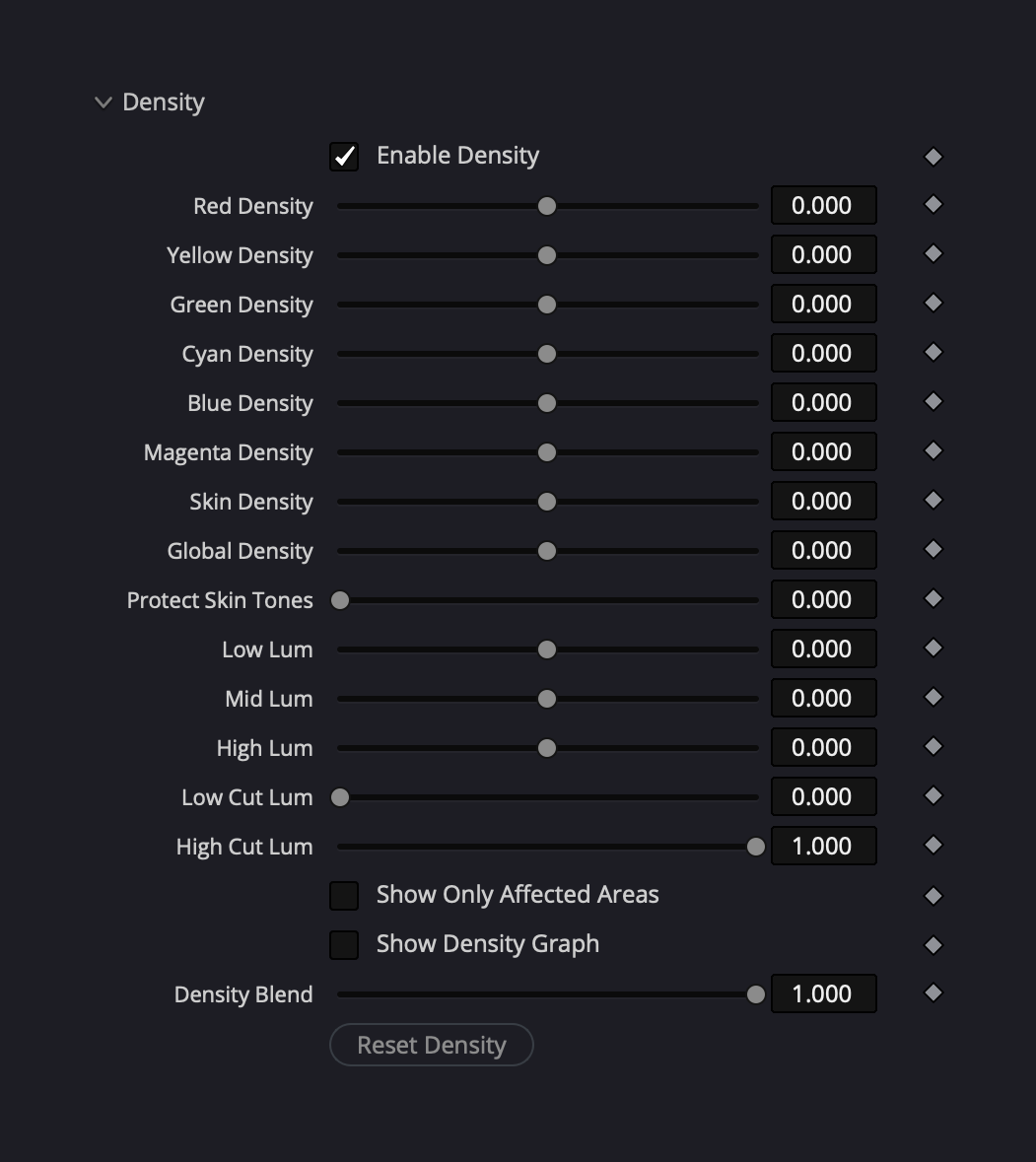
Richer, deeper colour, the way film does it, not by just turning up saturation.
Density by hue. Darken or lighten six hue bands independently for weight and richness in skies, foliage and fabrics.
Separate skin density. Adjust skin on its own. Protect Skin Tones keeps faces clean and helps exclude similar orange objects.
Density by brightness. Low, Mid and High Lum controls, plus Low and High Cut filters to keep density out of shadows or highlights.
Global density. One control for overall colour weight.
Visible behaviour. The Density Graph shows density by hue and by tone, live, over the image.
SATURATION
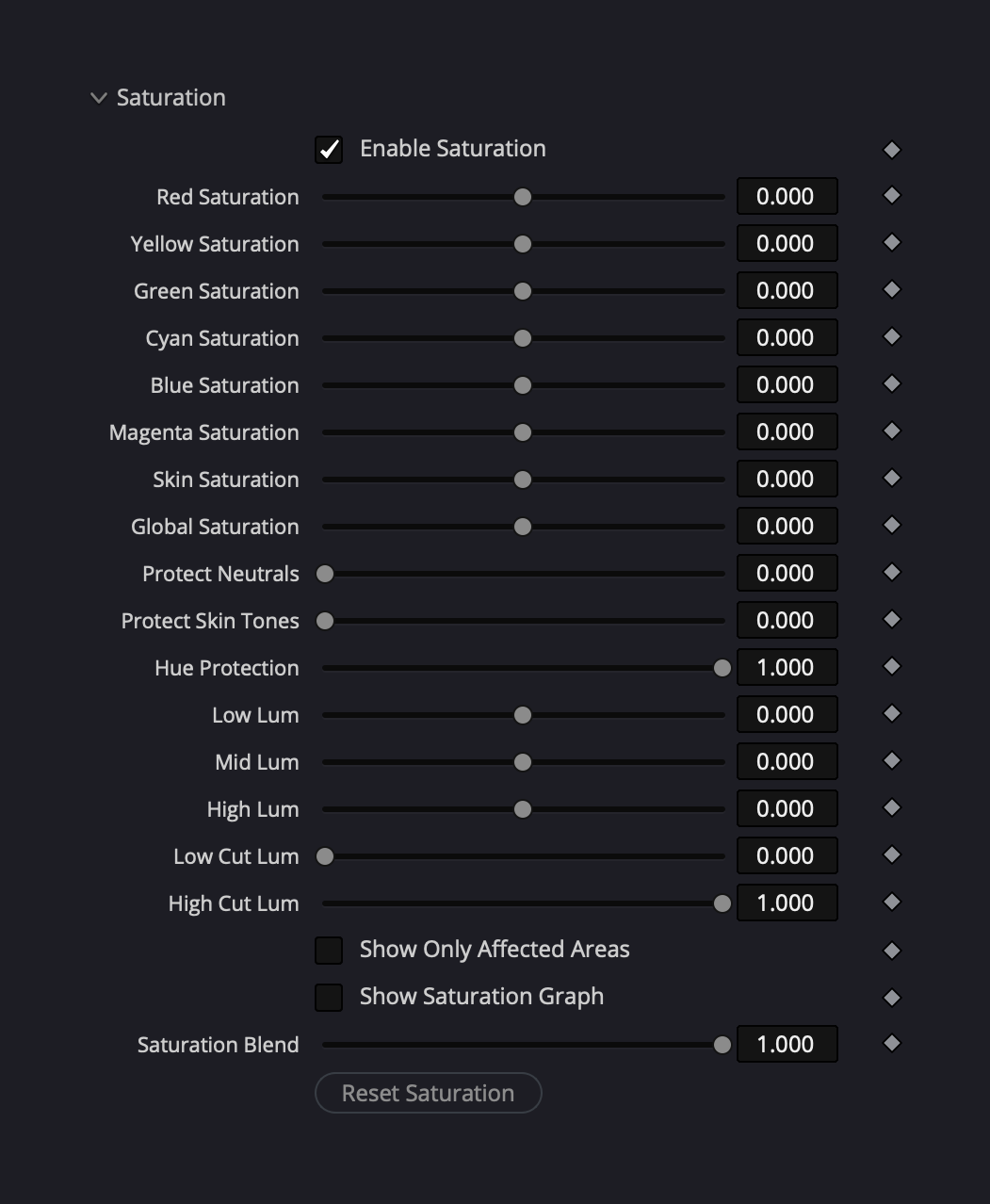
Saturation by colour and by brightness, with protection that keeps it believable.
Six hue bands plus skin. Push or pull each colour independently. Skin Saturation is built into the same pass, so moves never double up.
Natural-looking saturation. Saturation boosts darken colours slightly as they intensify, like film, rather than turning them neon.
Hue Protection. Keeps colours from drifting as saturation changes, so a stronger red stays the same red.
Protect Neutrals and Protect Skin. Grade boldly without tinting greys or overcooking faces.
Saturation by tone. Low, Mid and High Lum controls and Low and High Cut filters, e.g. desaturate shadows and highlights for a printed-film feel.
Live Saturation Graph and Show Only Affected Areas.
HUE
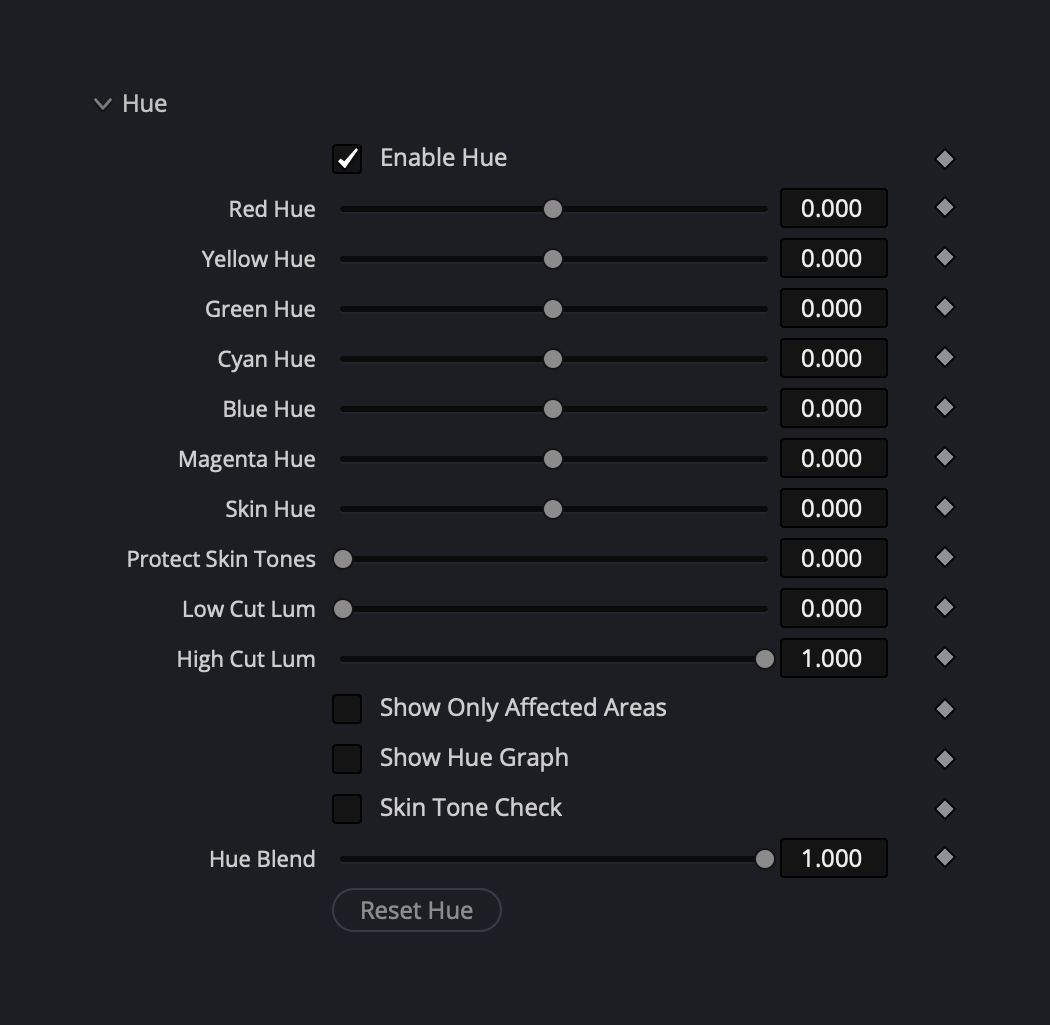
Move colours around the wheel cleanly, without breaking skin or greys.
Six hue bands. Rotate red, yellow, green, cyan, blue and magenta independently.
A dedicated skin control. Skin Hue shifts skin on its own, with a finer ±30° range for subtle corrections.
Protect Skin Tones. Pull foliage, skies and props as far as you like while faces stay where they belong.
Neutrals stay neutral. Greys and whites are never tinted by hue moves.
Limit by brightness. Low and High Cut remove the hue shift from the shadows or highlights.
See it live. The Hue Graph overlay plots the curve, and Show Only Affected Areas blacks out everything the control isn't touching.
CheckS & ANALYSIS
Every check you need to objectively judge an image, built into the grade, not bolted on.
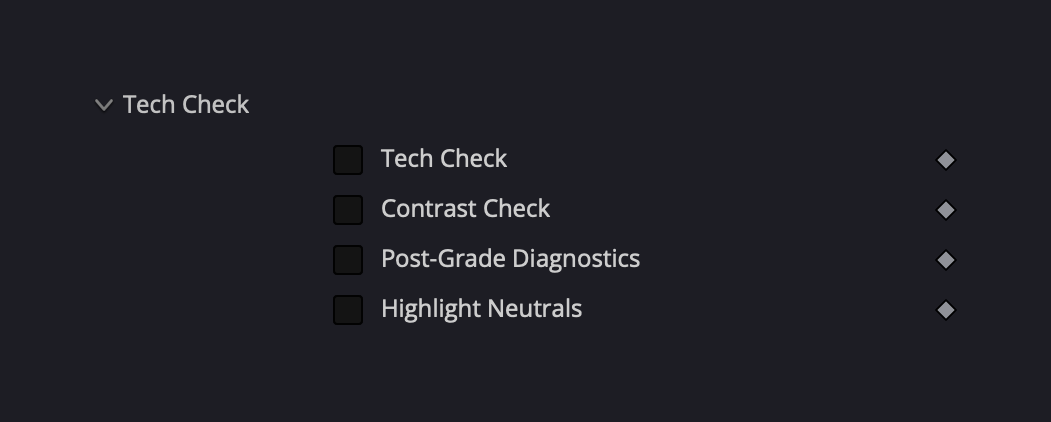
Tech Check. A four-way view: your picture plus the enabled checks, side by side in one viewer.
Skin Tone Check. A traffic-light skin read (green on target, yellow warm, red cool) that keeps image brightness so you can still judge the face.
Contrast Check. Monochrome tonal judgement without colour distracting you.
Exposure Check and Balance Check, with legends.
Highlight Neutrals and Mid Grey Overlay. See near-neutrals and your pivot greys painted directly on the image.
Post-Grade Diagnostics. Read every check at its own place in the chain, or switch them all to the final graded result.
What Sets Us Apart
People-First Approach
Everything we do is built around understanding your needs and helping you succeed—because when you thrive, so do we.
Long-Term Relationships
We’re not just here for the now. We love creating lasting relationships with our clients and growing with them over time.
Proven Process, Flexible Execution
We bring structure where it counts and adaptability where it matters. Our methods are clear, but always responsive.