
JC Saturation
JC Saturation is a bidirectional saturation DCTL for DaVinci Resolve — one slider, two saturation engines, zero switching.
Regular (additive) saturation pushes channels apart from grey: colours get louder, but skin turns neon and highlights go plasticky. Subtractive saturation works the way film and print do — it darkens and densifies colour instead of brightening it. Colours get deeper, not louder.
The catch has always been workflow. Subtractive looks wrong when desaturating, and regular saturation looks wrong when pushing hard — so colourists juggle two tools. JC Saturation is the first DCTL where a single slider does both: it picks the right engine automatically based on which way you move it.
JC Saturation is designed for colourists who want colour that feels dense, filmic, and intentional — not loud, plasticky, or overcooked.
WHAT IT DOES
JC Saturation lets you shape the colourfulness of an image through one bidirectional engine and three layers of control:
1. The master slider
Push right for subtractive saturation — colour gains density and depth. Pull left for clean, luma-based desaturation. The right engine is chosen automatically from the direction you move.
2. Per-hue control
Six sliders — red, yellow, green, cyan, blue, and magenta — each with the same bidirectional behaviour, each masked by a smooth bell curve so adjustments blend naturally into neighbouring hues.
3. Protection and preview
‘Protect Neutrals’ shields skin, neutrals, and shadows from saturation boosts, and ‘Show Only Affected Areas’ shows you exactly which pixels your adjustment is touching.
Unlike a simple saturation knob, JC Saturation gives you direct control over how colour builds — whether it behaves like a technical utility or a stylised, print-like colour response.


CONTROLS
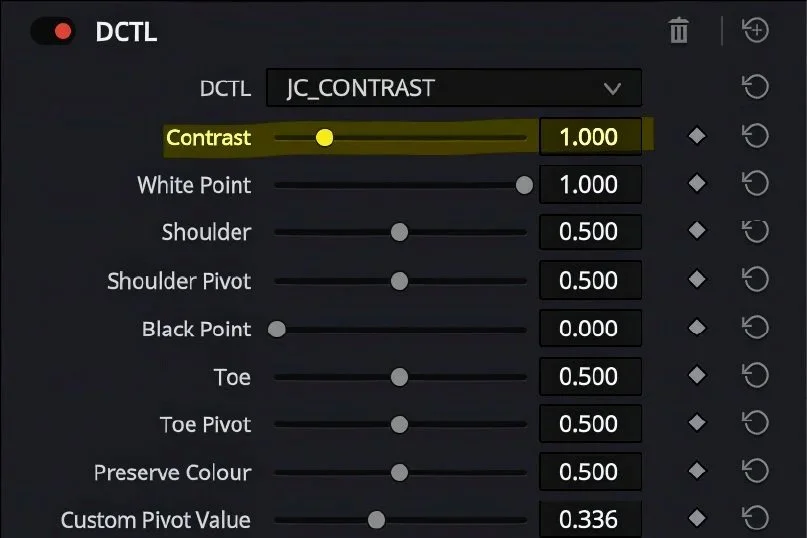
Controls the main contrast strength.
At the default value of 1.0, the image is unchanged. Increasing Contrast raises separation around the active pivot, while decreasing it reduces contrast.
The core positive contrast behaviour is built around a pivoted linear spine, meaning the centre of the curve can remain clean and stable while the toe and shoulder manage the extremes.
Use this as the main “amount” control.
CONTRAST
CUSTOM PIVOT
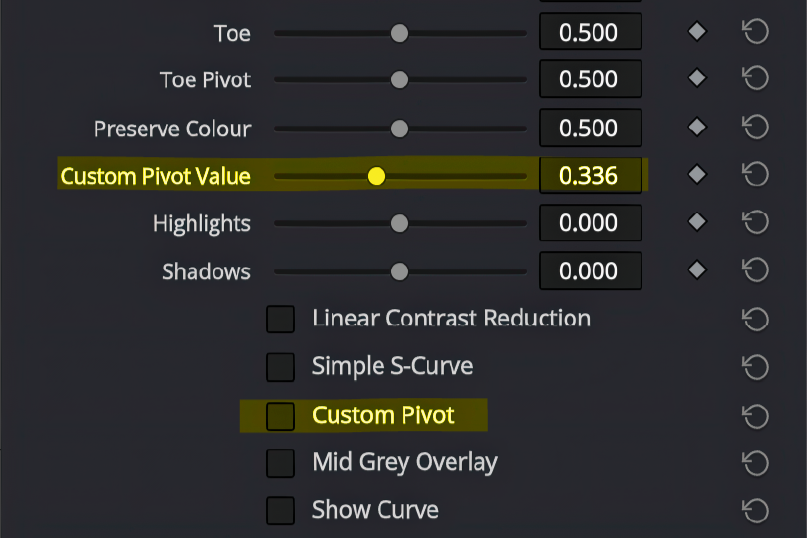
Enables manual control over the tonal point that the contrast curve rotates around.
By default, JC Contrast uses a DaVinci Wide Gamut / Intermediate-style mid-grey pivot of 0.336, which is a sensible centre point for DWG workflows. When Custom Pivot is enabled, the Custom Pivot Value slider becomes active, allowing you to choose a different anchor point for the contrast move.
Lower pivot values anchor the contrast deeper in the image, while higher pivot values anchor it further into the upper tonal range.
Use this when working outside a standard DWG setup, or when you deliberately want the contrast behaviour to centre around a different exposure point.
What Sets Us Apart
People-First Approach
Everything we do is built around understanding your needs and helping you succeed—because when you thrive, so do we.
Long-Term Relationships
We’re not just here for the now. We love creating lasting relationships with our clients and growing with them over time.
Proven Process, Flexible Execution
We bring structure where it counts and adaptability where it matters. Our methods are clear, but always responsive.